
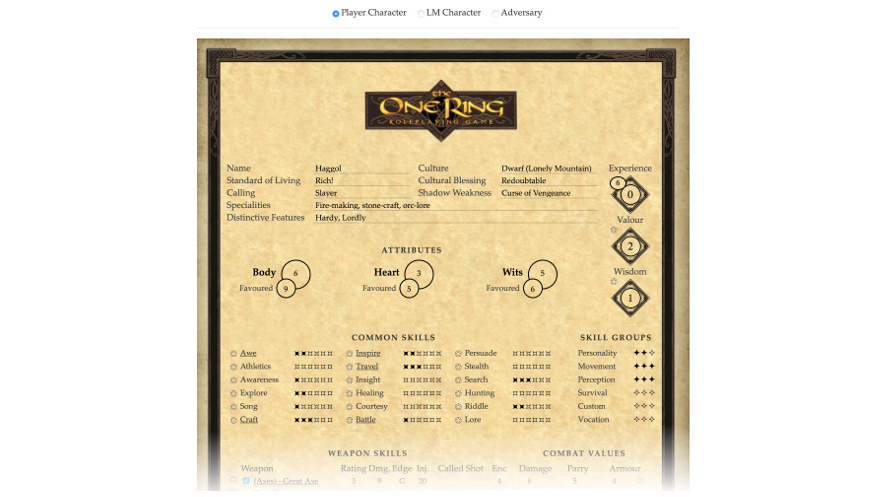
The One Ring Character Sheet for Roll20
This sheet works largely on its own, however there is a Roll20 wiki page devoted to The One Ring and Michael Heilemann (the original sheet author) has also written a lengthy setup guide for The One Ring in Roll20.
The roll buttons assume you have a number of rollable tables (feat, lm-feat, normal and weary) setup, as described on the Wiki page.
Loremaster and Adversary sheets
This is in fact three character sheets in one. A full-on Player Character sheet and two Loremaster sheets meant for characters (that is people who are on the side of the players) and adversaries (that is characters who are not, or creatures). The two former use the feat table for rolls, and the latter uses the lm-feat table (and has Hate instead of Hope).
Update 2.0.3 1/10/2021
Updated the Player Character sheet added total_experiance points (as may have asked for this to be added. have also added a custom roll template to use If you previously used the default roll template on your sheet and want to edit the macros to work with the new one, there are two spots you must to edit to make it work.
This macro using the default roll template:
&{template:default} {{name=Sword Attack}} {{attack=1d20}} {{damage=2d6}} {{Notes=Sword shouts "Gnome" repeatedly when you're within 20ft of any halfling or dwarf.}}
Needs at the very least change the template name and swap the header name from name to title, to keep things working the same:
&{template:custom} {{color=00ffff}} {{title=Sword Attack}} {{attack=1d20}} {{damage=2d6}} {{Notes=Sword shouts "Gnome" repeatedly when you're within 20ft of any halfling or dwarf.}}
I have added all 66 character chat/ping colors that can be used. more documentation on the roll template https://wiki.roll20.net/Building_Character_Sheets/Roll_Templates
Internationalisation
This sheet has been optimised for English, French, German and Spanish translations. Players who have previously been using the "L'Anneau Unique" and "Der Eine Ring" character sheets can convert to using this version of "The One Ring" sheet without loss of data.
Custom styling
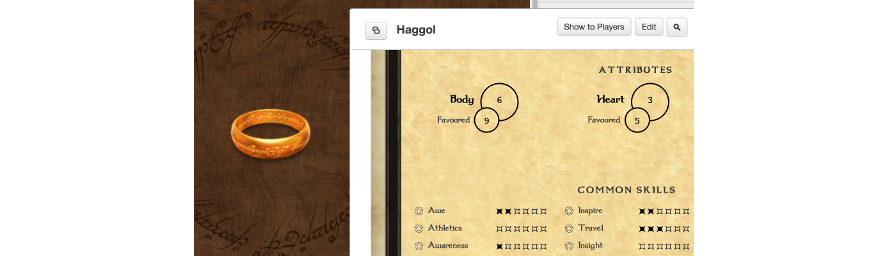
An optional custom stylesheet is available to make the character sheet and Roll20 user interface even more stylish! It:
- replaces the standard character sheet font with one that looks a bit more 'Tolkienesque' (see screenshot above)
- changes the Roll20 background to a wooden tabletop with a central ring (see screenshot above)
- hides the dice roll command formula in the chat
- restyles the page and sidebar a bit
To use the custom stylesheet:
- install either the Stylish or Stylus browser plugins. They basically do the same thing, but Stylus was created after privacy concerns about changes to Stylish
- If you use Stylish, go to the stylesheet page on https://userstyles.org. If you use Stylus, you can simply click here:

- go to Roll20 and open your game. You should see the pages and menu tabs already look different, but the background (probably) doesn't. This is because Roll20 defaults to showing a white background with a grid.
- go to the Pages tab at the top, hover over a page and click the 'Page settings icon' (gear icon in the top left).
- In the 'Page Settings' popup window that appears, click on the box next to 'Background', then in the smaller pop-up window with little coloured boxes, type 'transparent' in the 'Hex' text field at the bottom and press return. The background box should now have changed to a grey and white checkerboard. Also uncheck the box for 'Grid' then click 'OK'.
- You should now see the ring and wooden backdrop! You're done. :-)